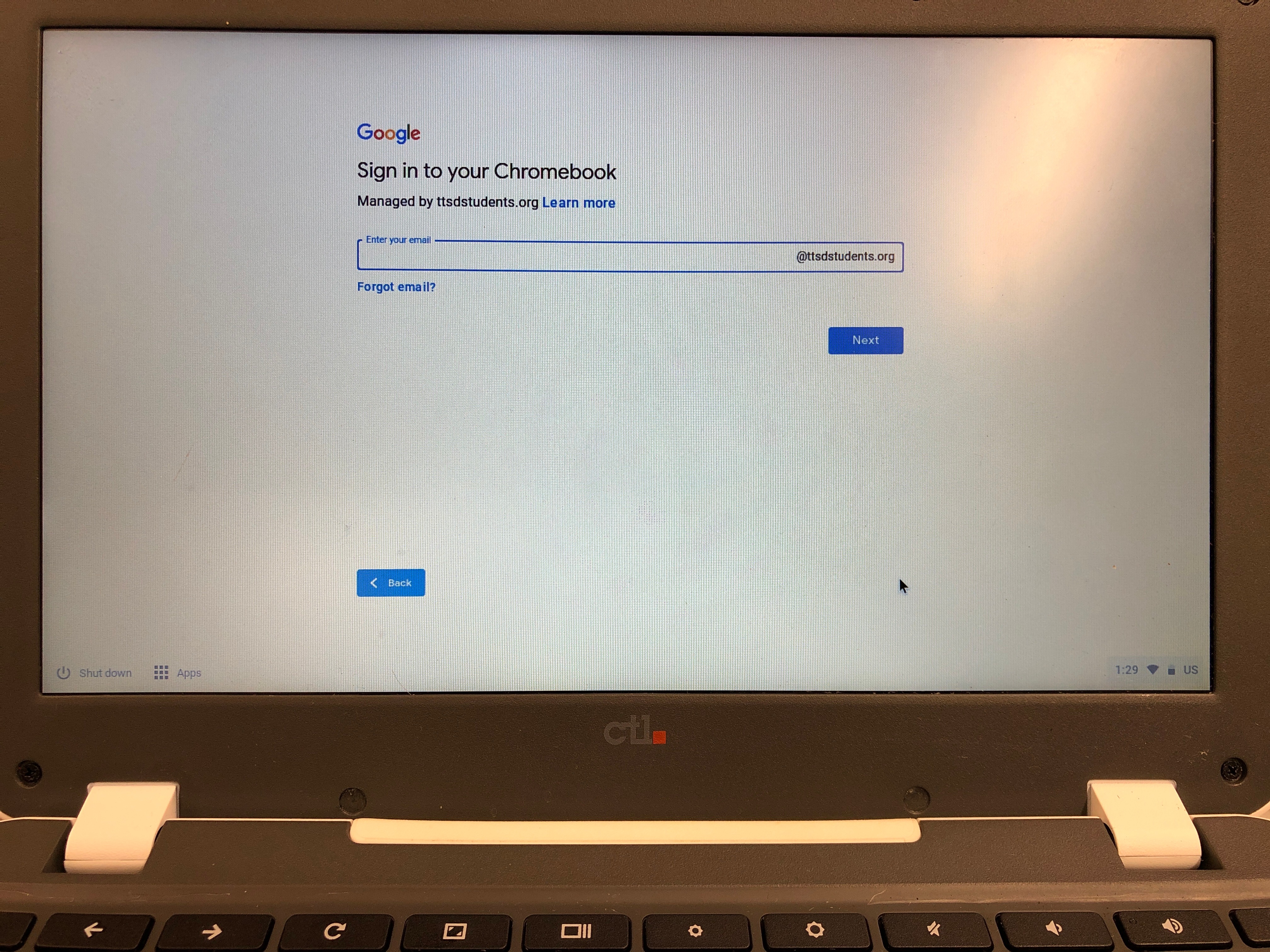
Enterprise Enrollment for Chromebook
ALL Chromebooks at TTSD must be enterprise enrolled for management.
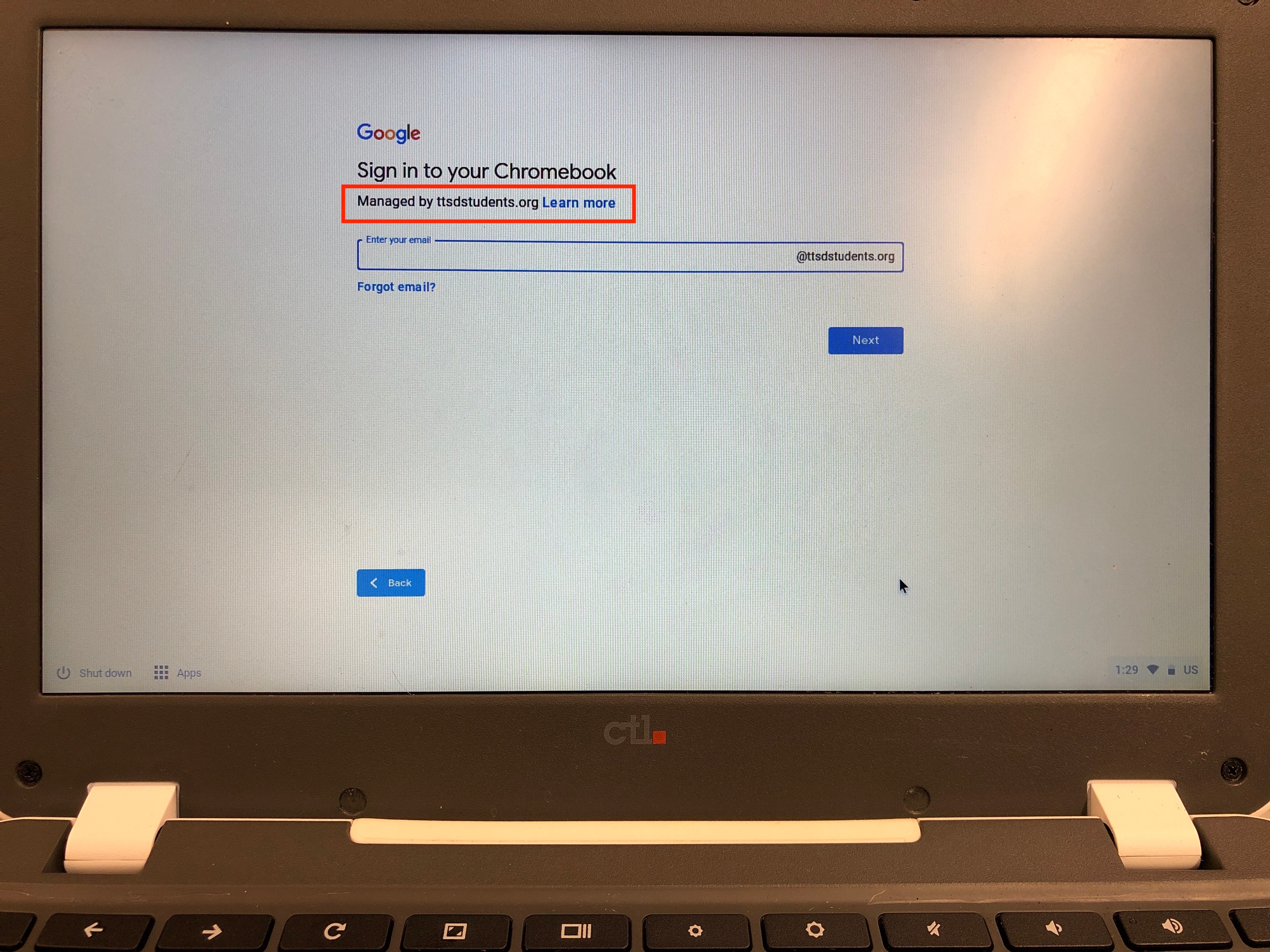
If your Chromebook does NOT display the Managed by ttsdstudents.org, please inform your school technician.
If this is a new Chromebook, please follow the instruction below to enroll the device into Enterprise Enrollment.
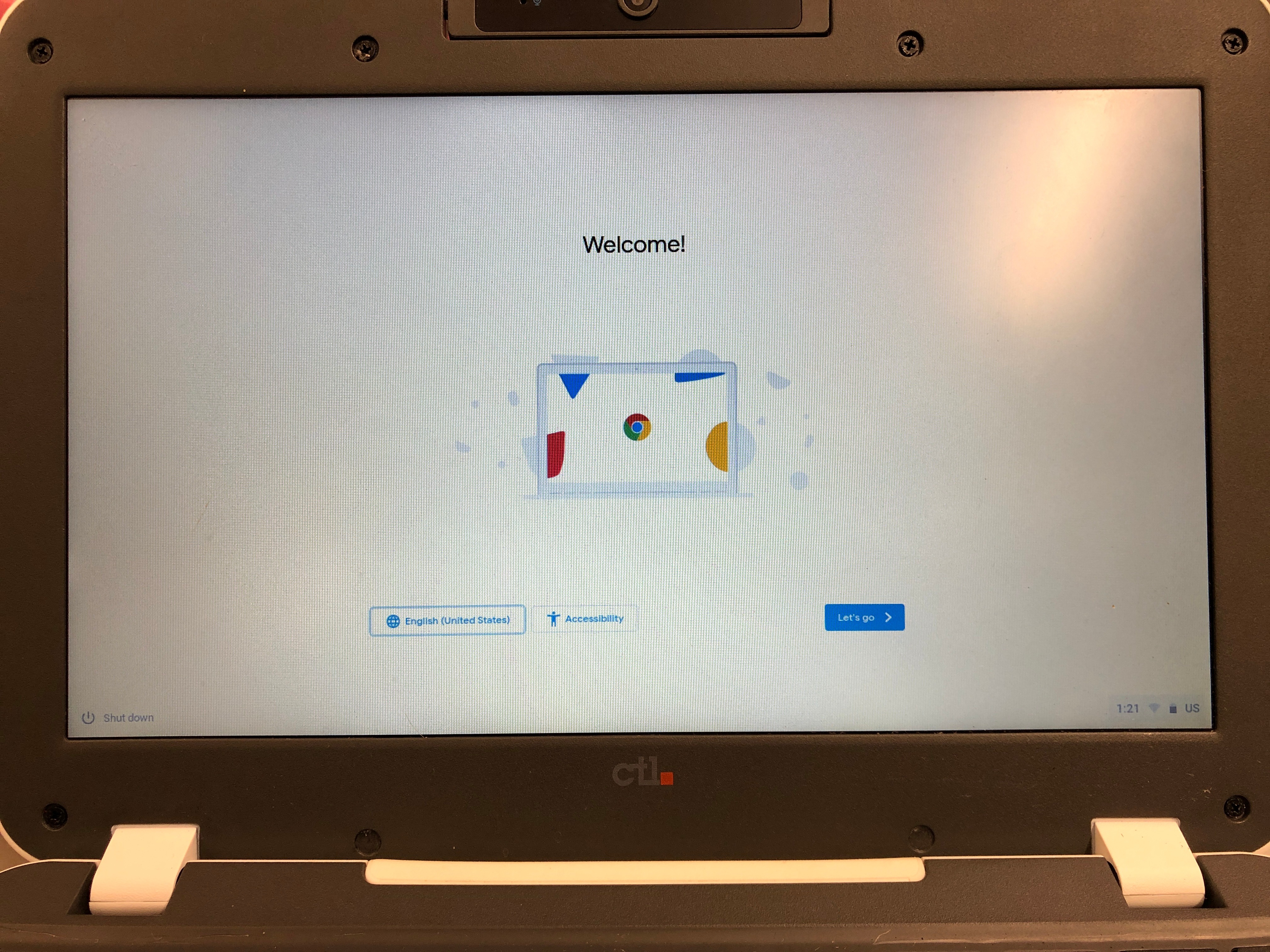
1. Select Let's Go
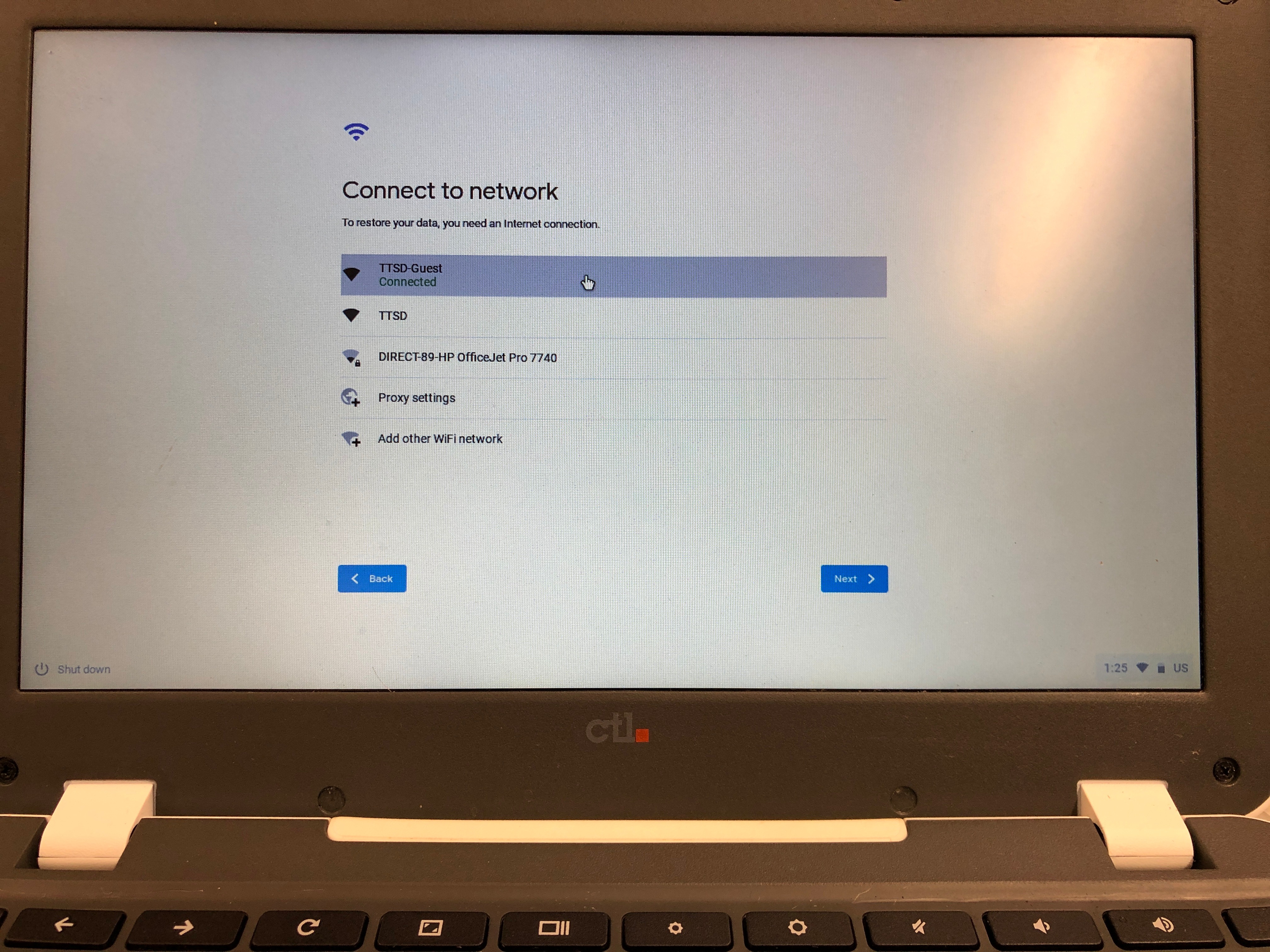
2. Select TTSD or TTSD-Guest
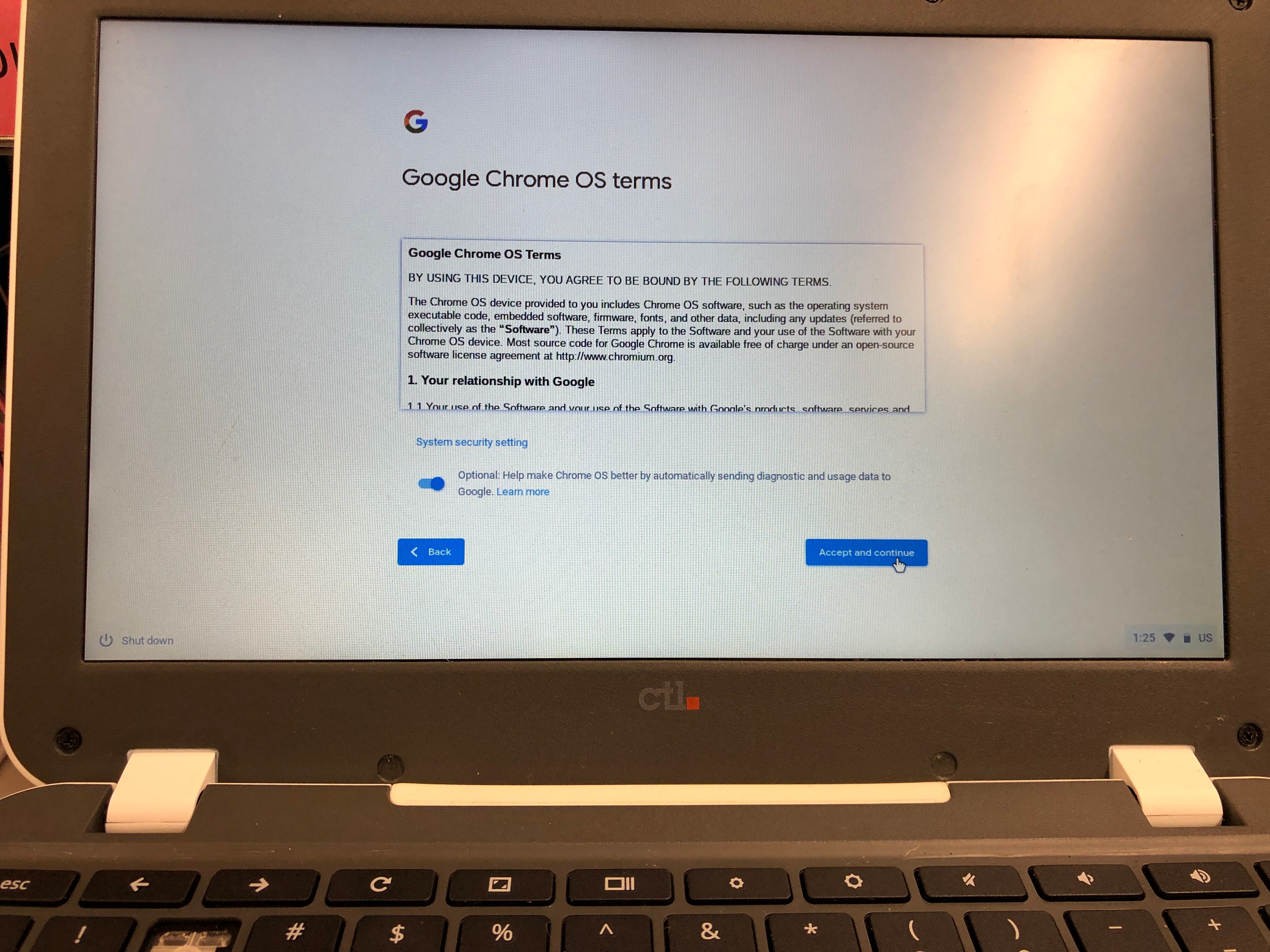
3. Select Accept and continue
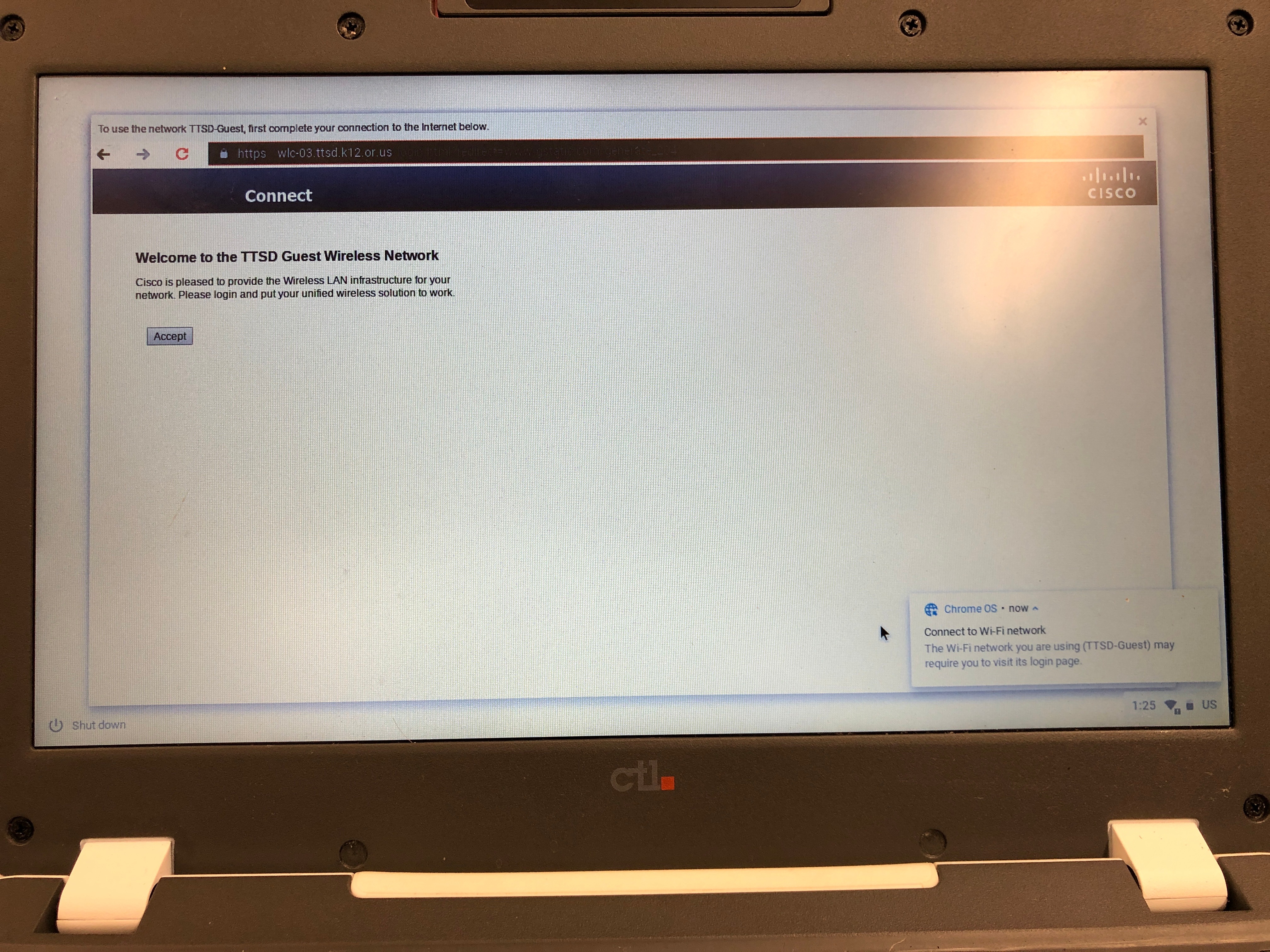
4. Select Accept if you chose TTSD-Guest network
5. Do NOT sign in with your ttsdstudents.org student account.
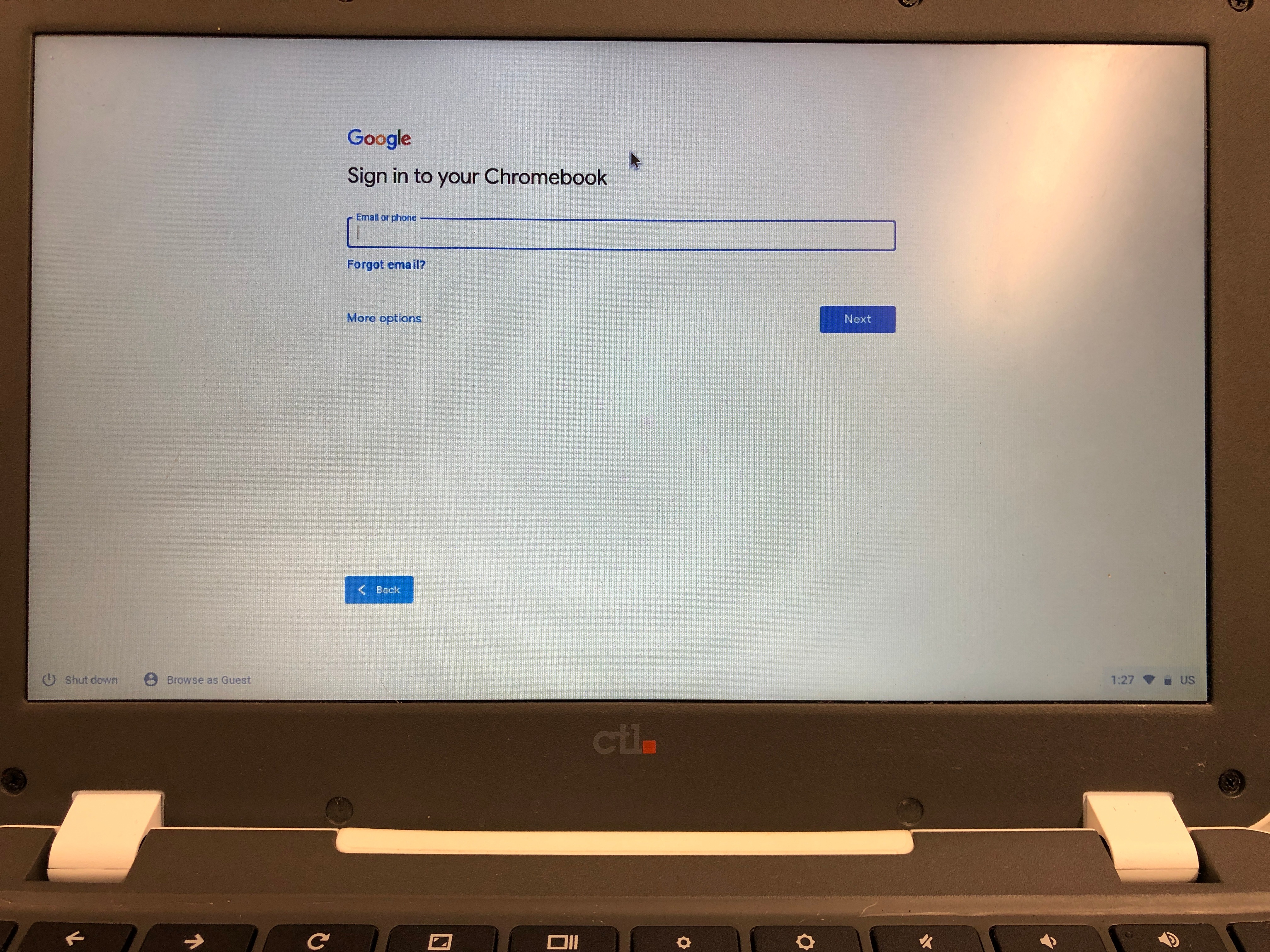
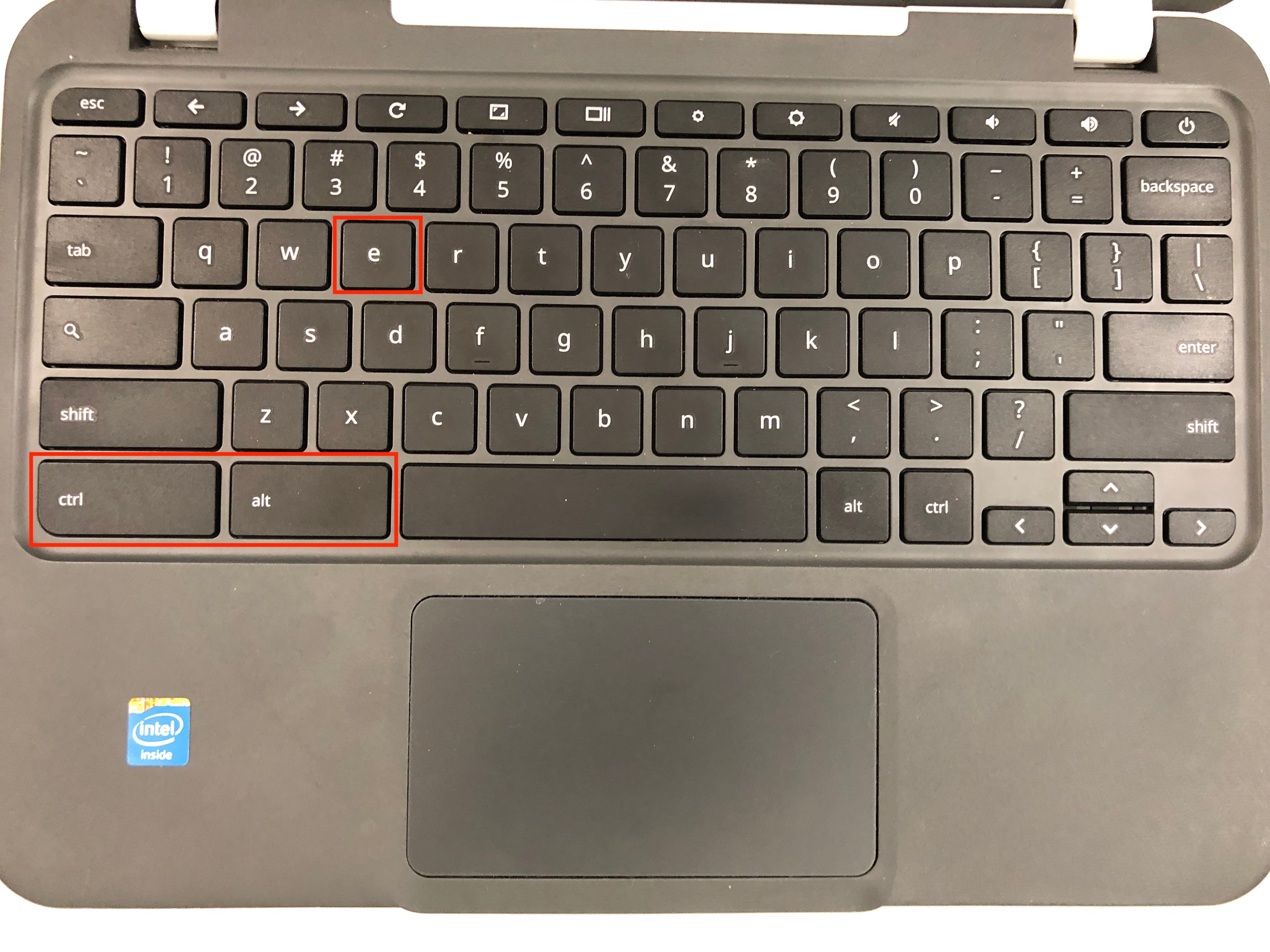
6. Press Ctrl + Alt + E together
7. Enter your school device enrollment Google account (If you don't have this, please ask your school technician or contact Technology)
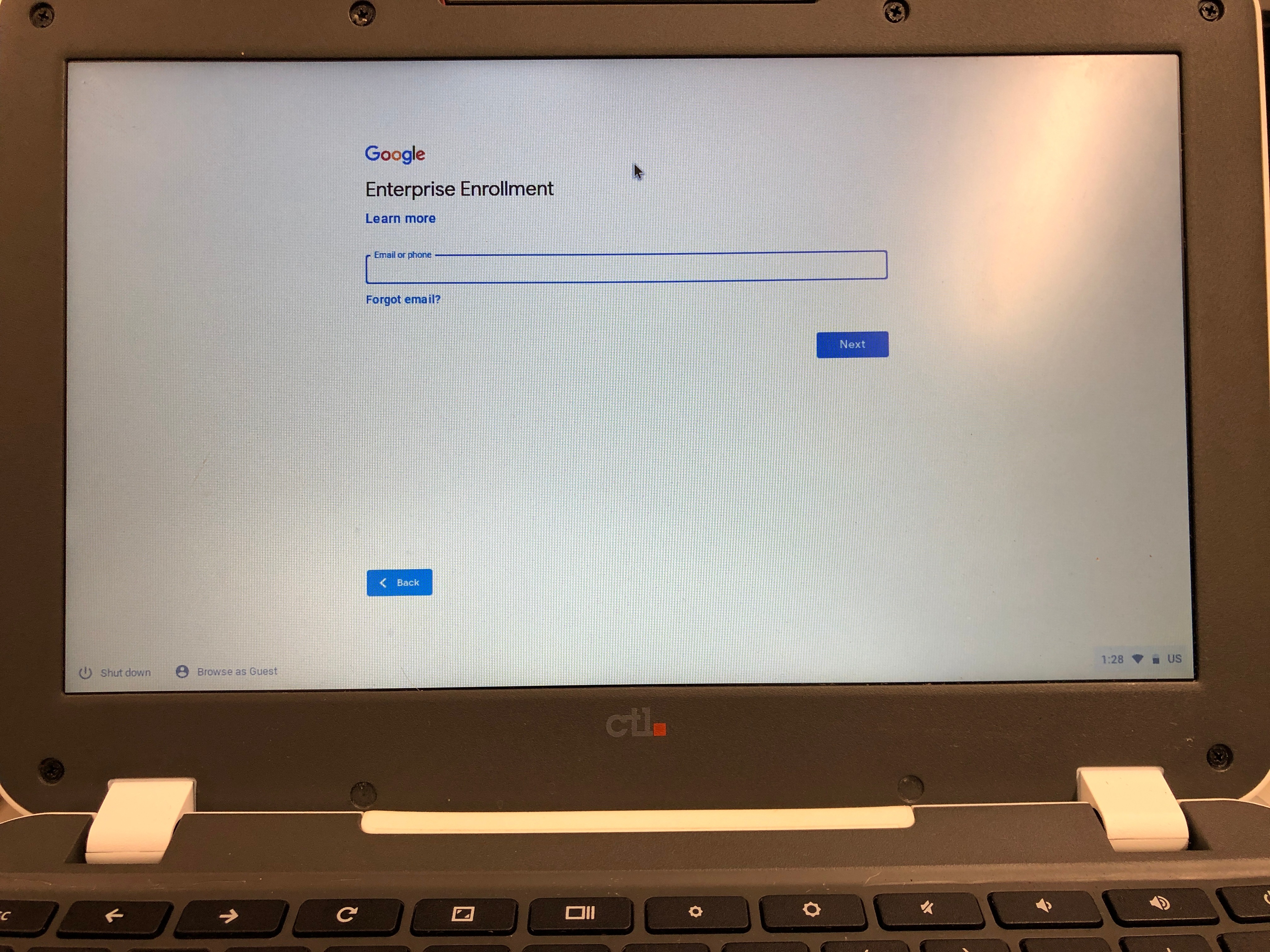
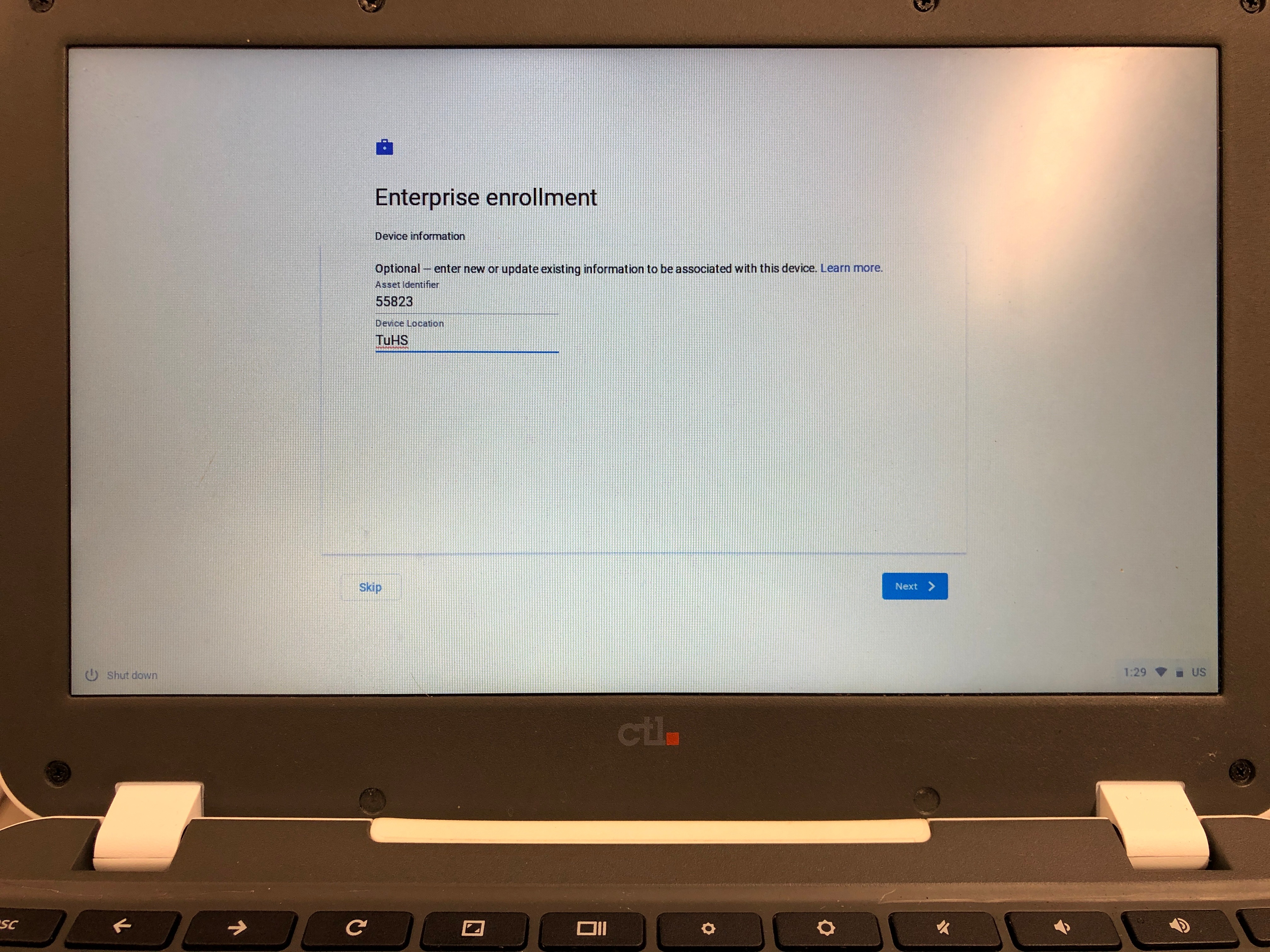
8. Please enter the Asset tag and no location required (The asset tag has 5 digits on a red label marked with Property of Tigard Tualatin J23 School District.)
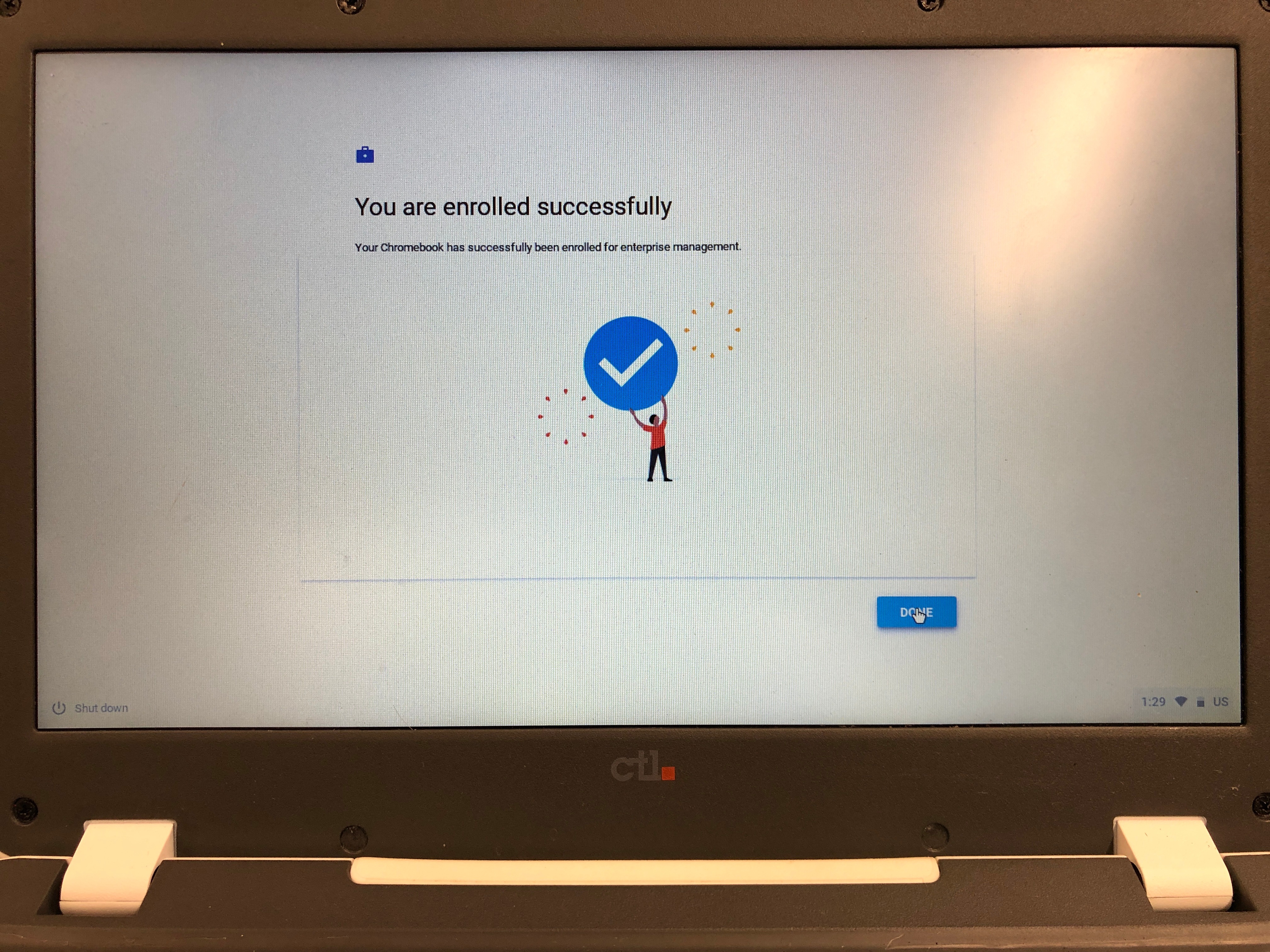
9. Select Done!
10. Your login page should have "Managed by ttsdstudents.org"